Scan the album page
Capture a page containing several mounted printed photos.
 DocMint
Albums & Books
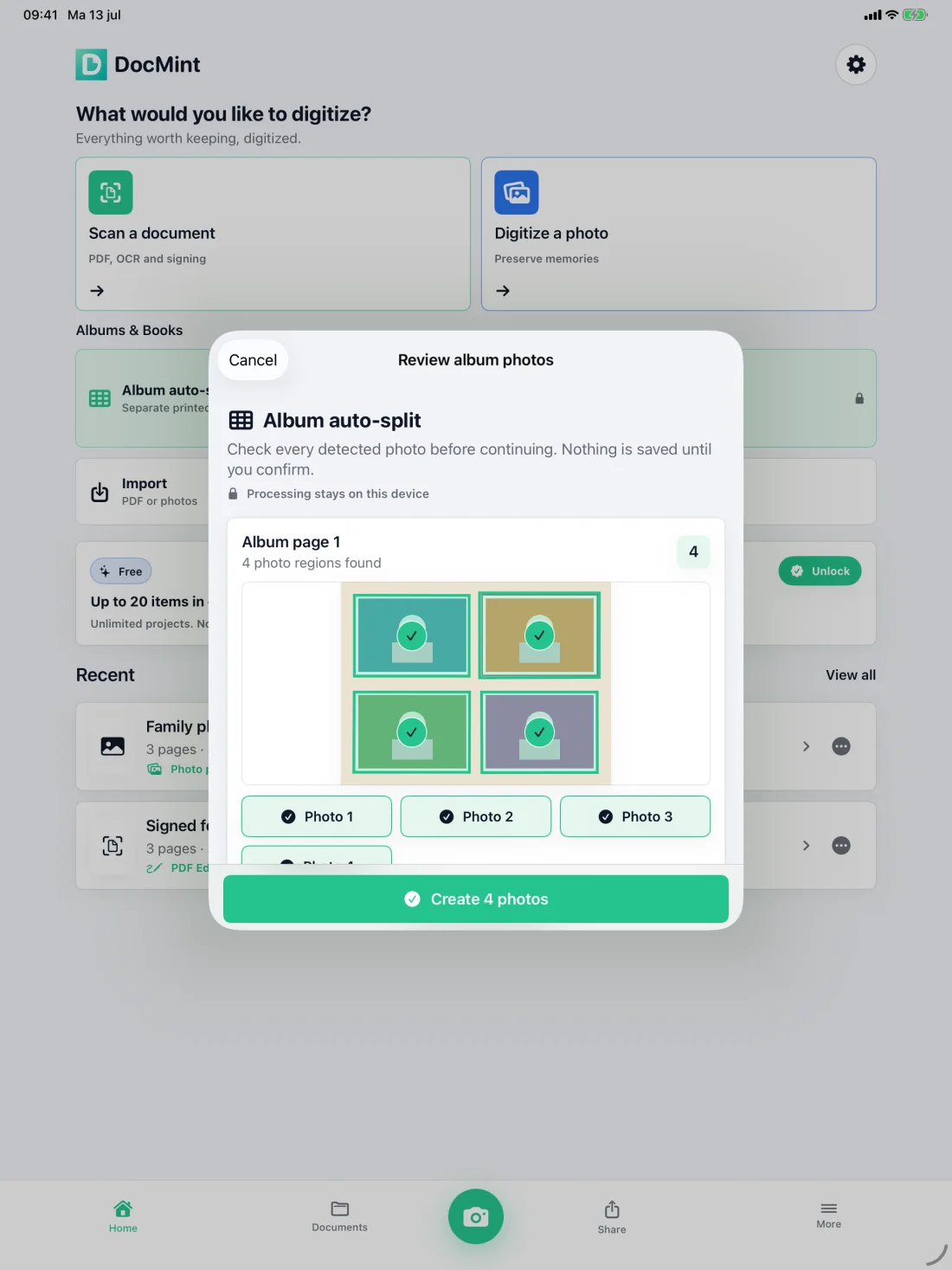
Scan a whole album page, let Album Auto-Split find separate printed photos, then review every detected region before creating individual photo items.
Album Auto-Split
Detection accelerates the repetitive part, while the review step keeps you in control of what becomes a saved photo.
Capture a page containing several mounted printed photos.
Check every detected photo and deselect anything that is not a photo you want.
Confirm the review before DocMint creates the individual photos.
Crop, adjust and add names, dates, places or stories to the resulting items.
Review before saving
DocMint shows the regions it found and waits for your confirmation. Nothing from the review is saved as individual photos until you continue.
Pro Lifetime is a one-time unlock. It also adds unlimited project items, Book Mode, Archive Bundles, password protection, document watermarks and other advanced tools. The App Store shows the exact local price.
On-device by default
The native app has no automatic DocMint server upload. Normal Album Auto-Split and photo processing run on your device.
Questions
Yes. Album Auto-Split is included with the one-time Pro Lifetime unlock.
No. You review the detected regions and choose what to keep before DocMint creates the individual photo items.
Yes. Normal Album Auto-Split processing runs on the iPhone or iPad without an automatic DocMint server upload.
DocMint provides capture, crop, gentle image adjustments and metadata. It does not claim AI photo restoration.
Related paths
Use DocMint on iPhone and iPad for documents, memories, albums and books.